iRacing Setup Guide
This guide helps you configure iRacing to work smoothly with Racelab. Racelab can automatically configure most game settings:
- Open the Racelab app and go to
Settings -> Game Setup. - Apply the suggested iRacing tweaks from Racelab.
info
iRacing account bandwidth must be set manually in your iRacing member site.
Installation Steps
Game Configuration
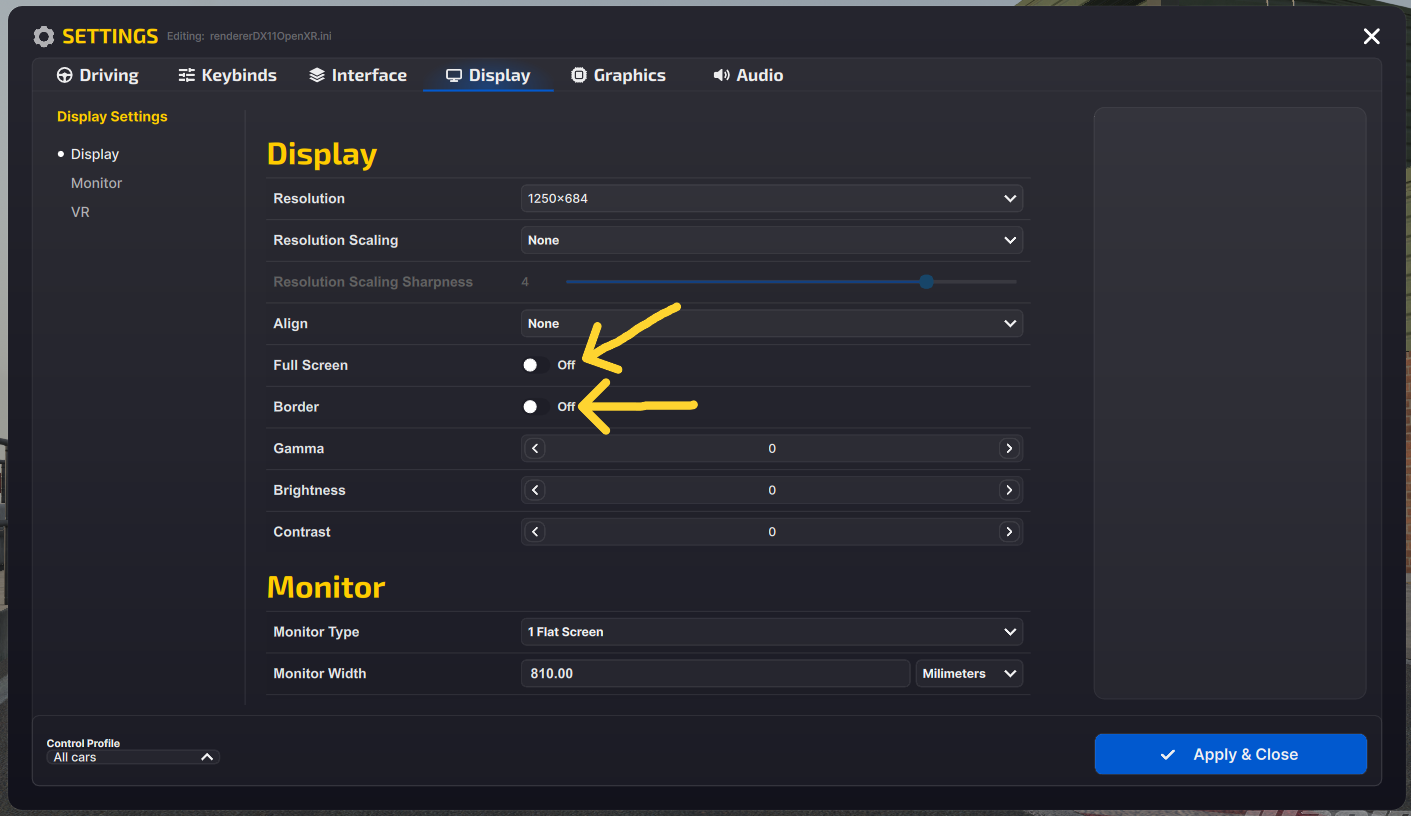
iRacing needs to run in windowed and borderless mode. This looks identical to fullscreen but prevents overlay issues.
- Open the Options menu.
- Navigate to the Display tab.
- Turn
Full Screenoff. - Turn
Borderoff. - Set
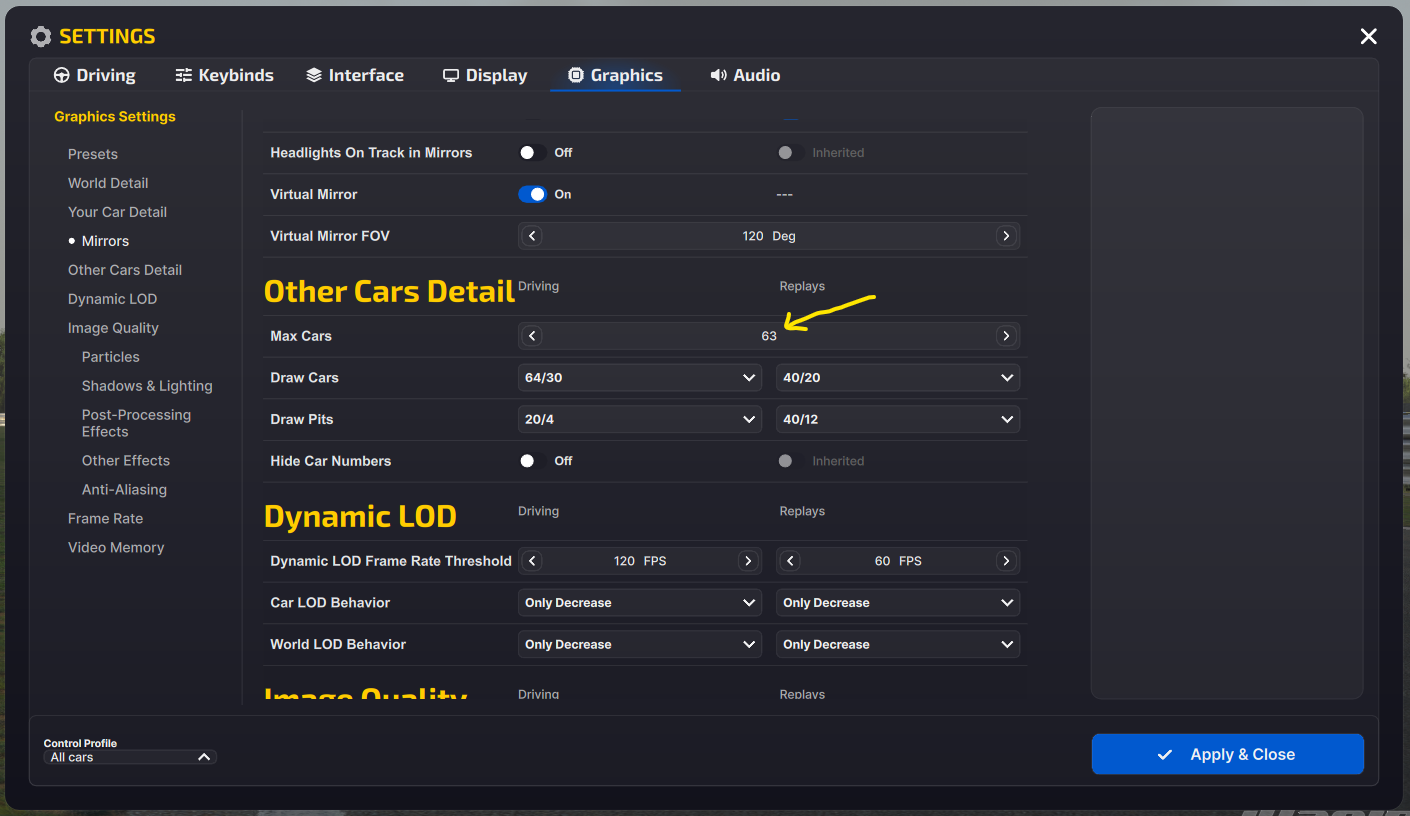
Max Carsto63under Other Cars Detail. - Restart iRacing to apply changes and remove any borders.
warning
Restart iRacing after changing these settings, or you may still see a border.
Account Settings (Network)
warning
This step needs to be done manually in the iRacing UI.
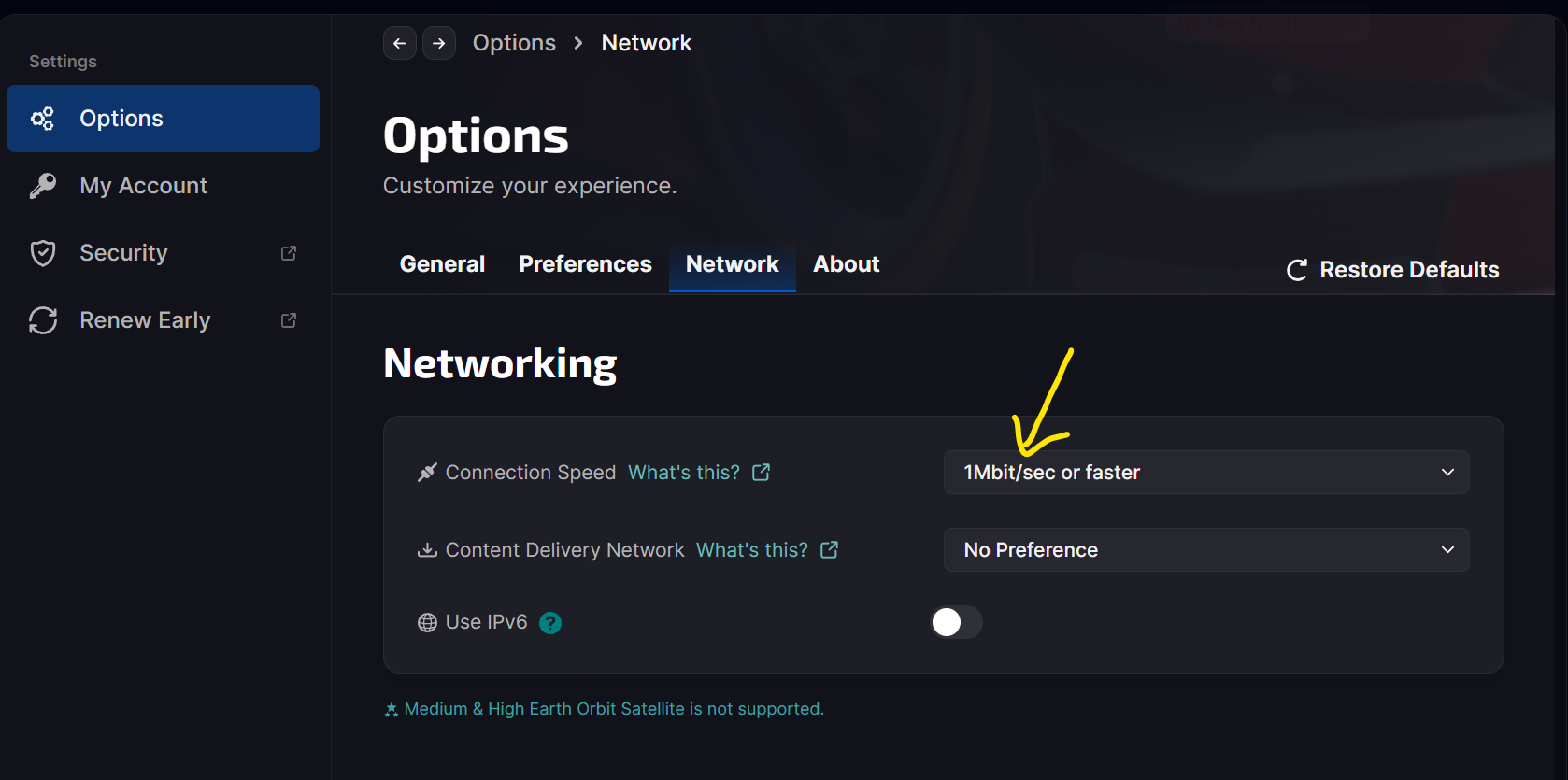
Set this on the iRacing member site (it cannot be done from Racelab):
- Open the iRacing member site and go to
Settings -> Account. - Find
Connection Type / Connection Speed. - Set the value to 1 Mbit/sec or faster.
Why this matters: slower settings reduce the number of cars sent to your client, which can affect overlays and position data reliability.
See the official guide: Connection type & max cars.
Tips & Troubleshooting
- Overlay window issues: If the layout shows the wrong screen or a border appears, confirm windowed + borderless is set and the game was restarted. See Layout showing wrong screen.
- Position data issues: If positions look incorrect, check the iRacing telemetry and session type. See iRacing position issues.
- VR users: For VR-specific setup, see VR usage and OpenVR.